
Deliver a wedding sneak peek from Lightroom Classic
Updated on 5 November 2026 · 5 min read
In short
With the Festiroll plug-in, Lightroom Classic publishes to the wedding album. You create one published collection per album and delivery, drag your selection into it, then click Publish. An edited photo, once re-published, replaces the old one in the same place. After their date, the plug-in also imports the guests' photos into your catalogue, read-only. Guests see nothing before your delivery date. The plug-in works with Lightroom Classic, not with Lightroom (cloud).
Before the wedding: the album and the deliveries
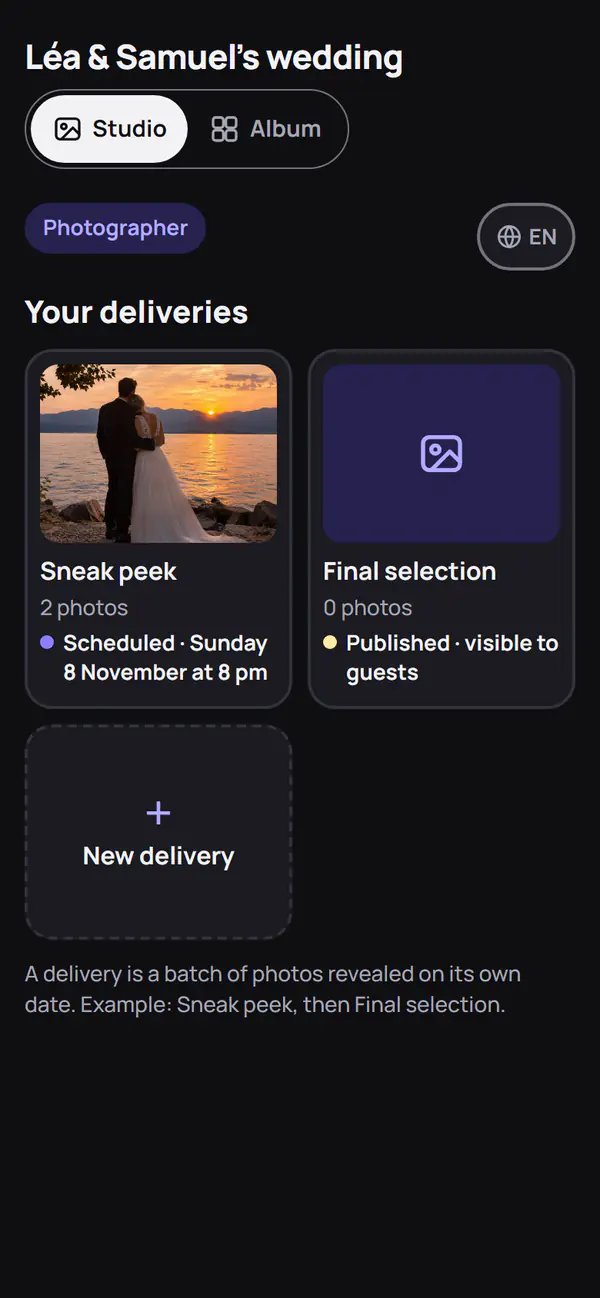
The album already exists on Festiroll. You created it, or the couple sent you the photographer QR code. That QR code opens your upload page.
On that page, create your deliveries and give each one its date. For example:
- Sneak peek: about thirty images, opened three days after the party;
- Final selection: the chosen coverage, a few weeks later.
Each delivery opens to guests on its own date, separate from the album's. You can also create a delivery from Lightroom, when you create its collection.
Install the plug-in and connect Lightroom
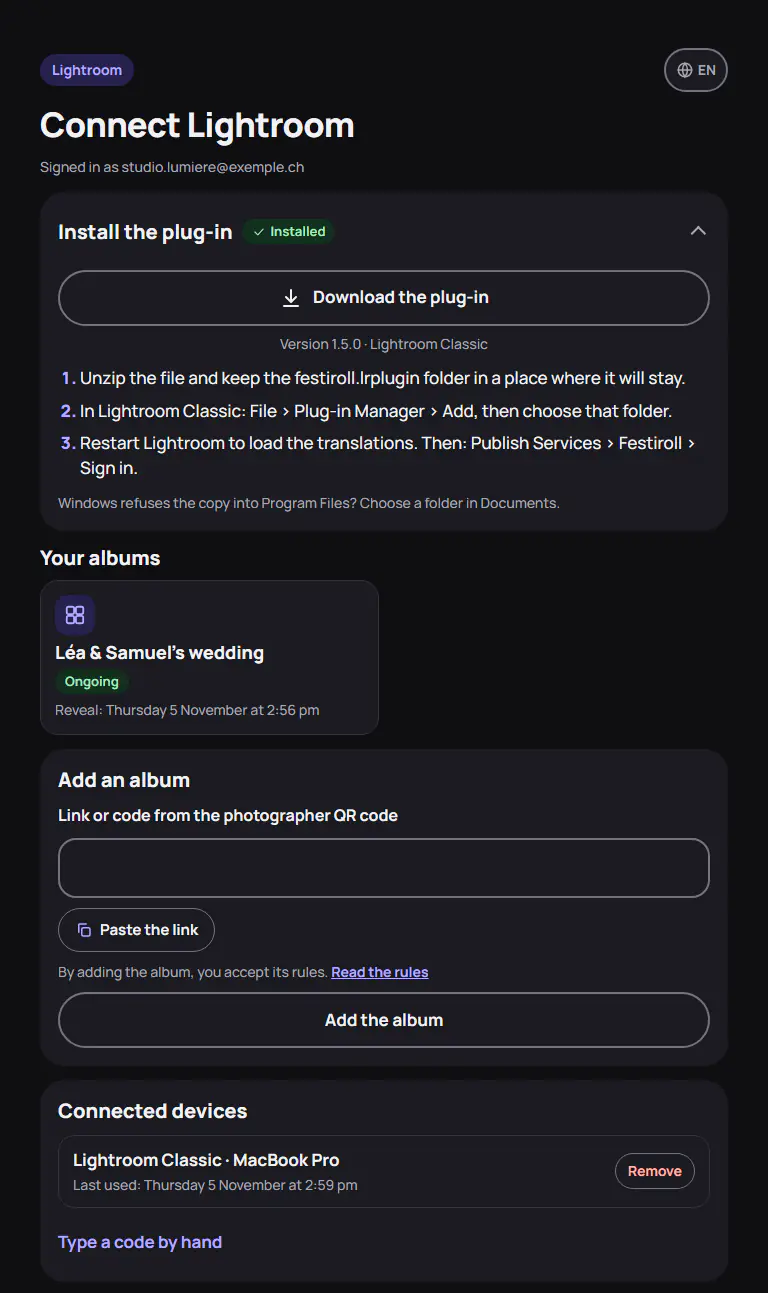
Download the plug-in from your Festiroll account, Lightroom page (festiroll.ch/lightroom). Unzip the file: you get a festiroll.lrplugin folder. Keep it somewhere stable, for example Documents/Lightroom/Plug-ins. Lightroom reads it from there, it does not copy it.
In Lightroom Classic: File > Plug-in Manager, then Add. Choose the folder, then Done.
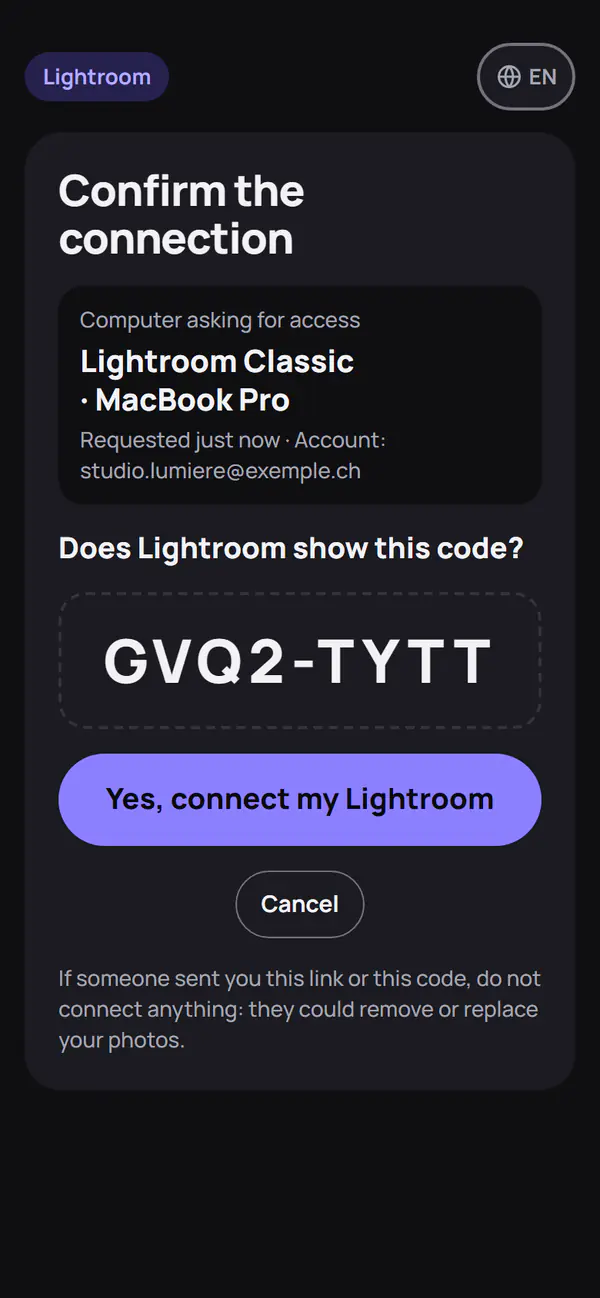
Then open the Library. In the Publish Services panel, click Set Up… next to Festiroll, then Sign in. Lightroom shows a QR code. Scan it with your phone camera, then tap “Yes, connect my Lightroom”. No phone? Click “Or open on this computer”.
The code is valid for ten minutes. The connection lasts a year and is extended with each publish. You can revoke it from the Lightroom page, Connected devices section.
On the same page, add the wedding album: paste the code or the link of the photographer QR code. If you have already scanned that QR code in this browser, the album is already there.
Create the published collection
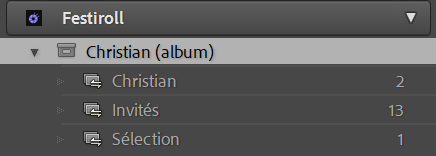
Right-click the Festiroll service, then Create Published Collection…. Choose the album, then the delivery: “Sneak peek” to begin with, or “New delivery…” to create it on Festiroll. The collection goes into the album's set, under the service.
One collection matches one album and one delivery. For the final selection, create a second collection, linked to the “Final selection” delivery. A published photo keeps its delivery. So do not put the sneak peek images into the final selection again: they would appear twice in the album.
Choose the export size
The plug-in exports sRGB JPEG, quality 90. In the service settings, choose the long edge:
- 2048 px, the default, enough for a phone or a tablet;
- 3000 or 4096 px, for a large screen;
- the original, up to 64 MB per photo.
For a sneak peek, 2048 px is enough and takes less room in the album. Keep the large sizes for the final selection, if the couple wants to download the album.
As for metadata, only the copyright is kept. The GPS location and the names Lightroom has linked to faces are not sent. Your keywords stay in your catalogue.
Publish, edit, remove
Drag the chosen images into the collection, then click Publish. Lightroom sends them one by one. A photo that fails is listed with its reason: album full, album ended, connection revoked, no network.
You rework an image afterwards? It moves to the modified photos waiting to be re-published. Click Publish: the new version replaces the old one in the same place in the album. Its caption and favourites stay.
An image should not have gone out? Remove it from the collection, then Publish: it leaves the album. Deleting the collection of a delivery in Lightroom? The plug-in asks whether to delete the delivery on Festiroll too; Keep on Festiroll changes nothing online.
If the album checks photos before publication, each new version waits for a moderator.
What guests see, and when
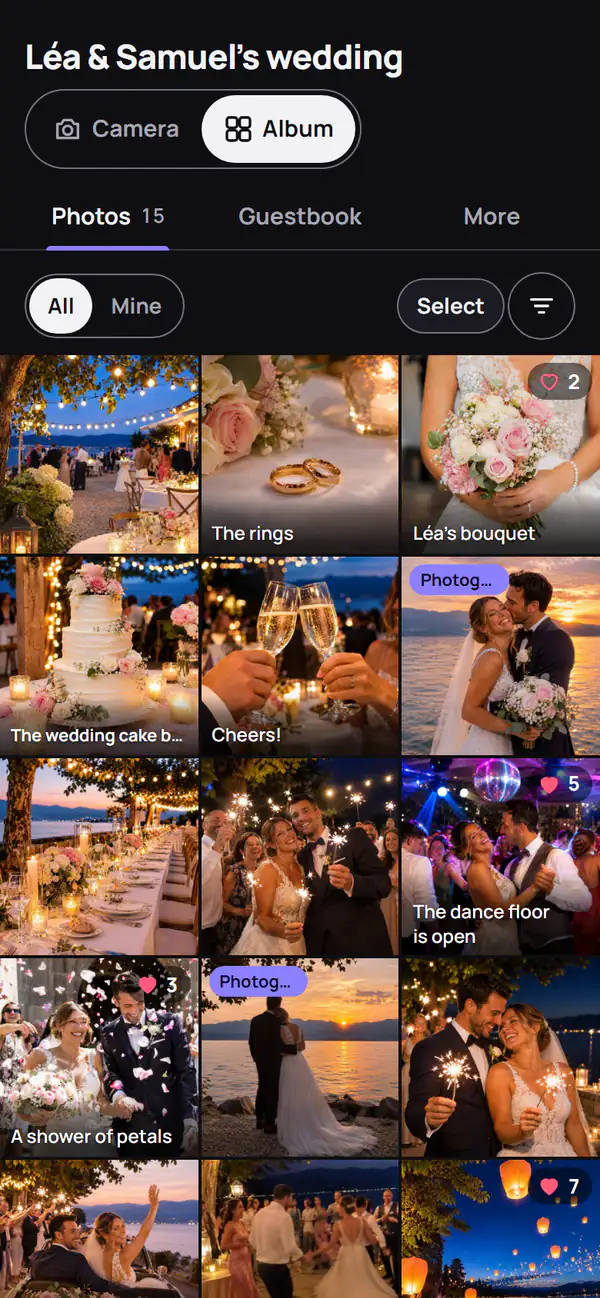
Nothing before the delivery date. Publishing three days early shows nothing earlier: guests do not see your photos. On the date, they appear in the album with the “Photographer” badge, and a filter groups them.
Re-publishing after the date replaces the image in front of the guests. They see the new version instead of the old one, with no duplicate.
The role of the album next to your delivery gallery is explained on the Photographers page.
Import the guests' photos, find your own
After the guests' date, the plug-in downloads their photos into your catalogue: File > Plug-in Extras > Import guest photos. The organiser must allow downloads. The photos arrive in the album's “Guests” collection, under the service, read-only: they stay with their authors, and the plug-in neither re-publishes nor removes them. A second import only adds the new ones.
You set up the publish service again and your collections are empty? Find my photos of the album, in the same menu, links your photos already online to the ones in your catalogue, by file name and capture date. Those it cannot find are downloaded. Nothing is sent again, so nothing appears twice.
What it does not do
- It works with Lightroom Classic 6 or later, not with Lightroom (cloud). From that one, export your JPEGs and upload them from your upload page.
- It does not publish on its own: after an edit, Publish is still one click.
- It sends neither RAW nor video: the album receives JPEGs.
The plug-in is included at no extra cost, whatever the album's plan. Plans are on the pricing page, and the photographer's features on the Features page. For the guests' side, read Wedding photo album with a QR code.
Adobe and Lightroom are trademarks of Adobe Inc.