
Guest photo sharing, alongside your gallery
Guests photograph the party with their phones, with no booth or app. You deliver your coverage as usual.
Free for up to 10 guests, to try it out.
What you can't photograph
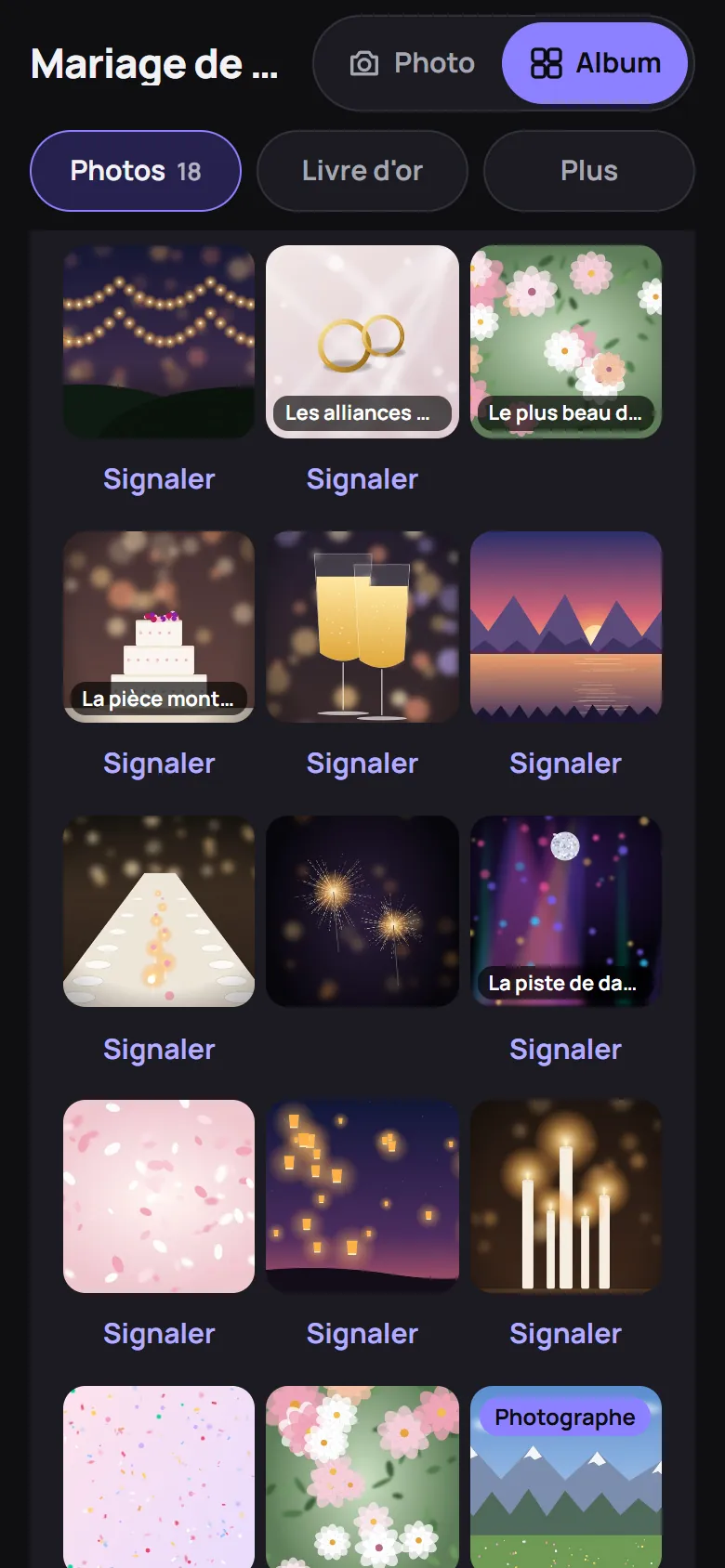
While you follow the couple, the table at the back bursts out laughing. Those moments are on the guests' phones.
The album brings them together. You offer it, or sell it, with your coverage.
What you offer your couples
A game for the guests
Unlimited photos, or 24 each like a disposable. Challenges, a secret mission and a written or voice guestbook.
A photo booth in every phone
Each guest takes photos on their own, from getting ready to the end of the evening. Nothing to set up.
Tip: put a basket of props on a table.
The photo wall
On the TV or projector: a countdown, then the photos. In Live mode, they appear during the evening.
The guests' album
All their photos in a private album, with yours if you wish.
For you
One more add-on for your packages
Included in your package or sold as an option, as you prefer.
Other angles
Guests photograph what happens away from your lens.
Your name in front of the guests
Your photos carry the “Photographer” badge. Your next clients are among the guests.
On the day
- Before. You create the album and give the couple the A4 poster or A6 table card with the QR code.
- The couple moderate with their moderator QR code, with no account.
- During. Guests scan the QR code and take photos. You work as usual.
- After. The album opens on the chosen date.
Your pictures, if you wish
Optional:
- A preview. Ten to thirty edited images, a few days after the party.
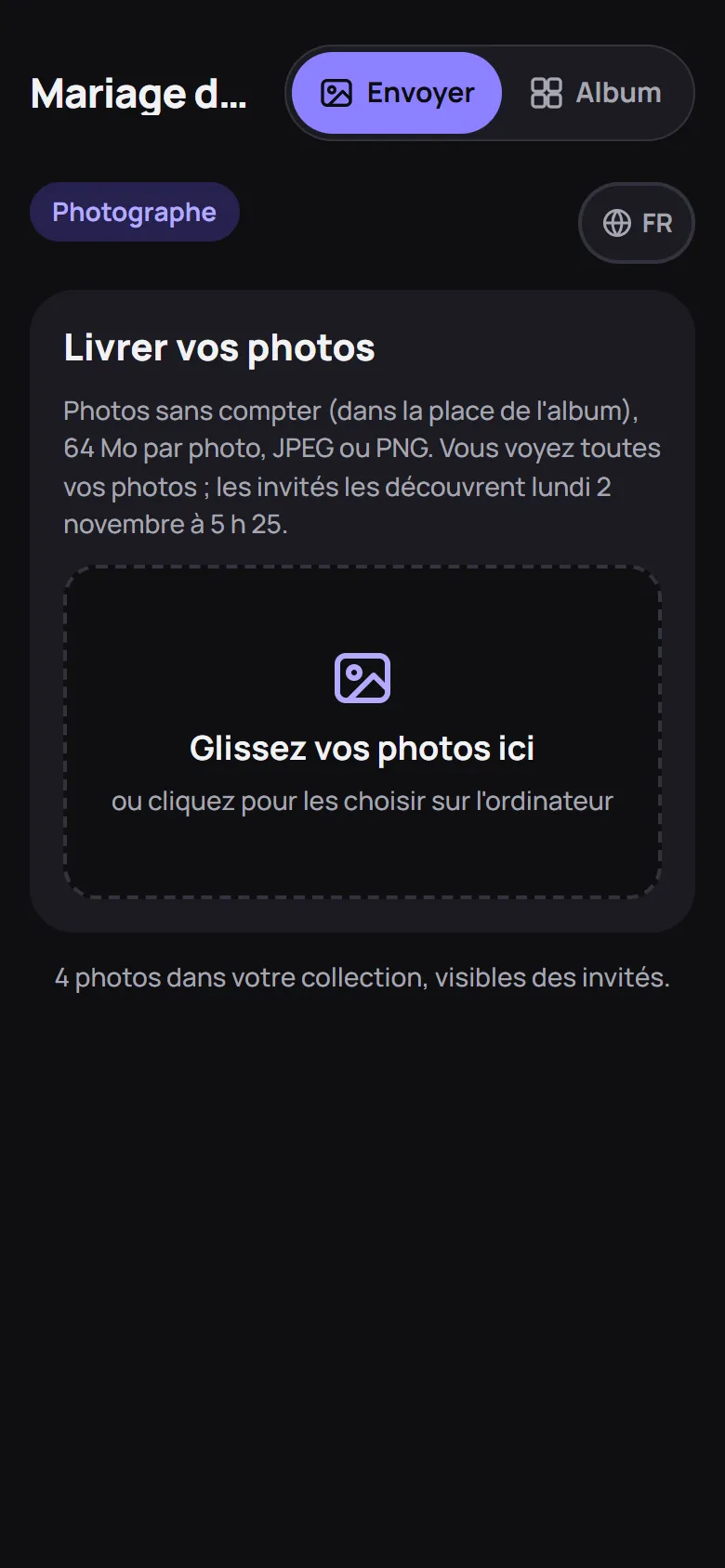
- Your selection. Added later from your computer, up to 64 MB per photo.
- Your date. Your photos stay hidden until your delivery date, separate from the guests'.
- Duration. Up to 12 months online with the largest plan.
Publish from Lightroom Classic
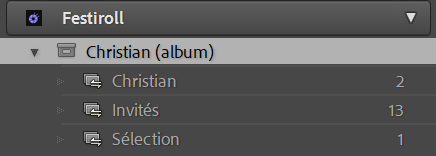
You cull and edit in Lightroom Classic. With the Festiroll plug-in, the wedding album shows up in your Publish Services: your deliveries, and the guests' photos.
- Connect Lightroom. Install the plug-in, click Sign in, then scan the QR code with your phone.
- Create one published collection per delivery. Choose the album, then the delivery: “Sneak peek”, “Final selection”… or a new one.
- Drag in your selection, then Publish. The photos land in the album, in that delivery.
- Edit and re-publish. The new version replaces the old one in the same place, with its caption and favourites. A photo removed from the collection leaves the album.
What changes for you
- No more manual export. No folder to export, then upload from the browser.
- Your edits follow. You rework a photo after delivery: Publish sends the new version.
- The guests' photos in your catalogue. After their date, the plug-in imports them into the album's “Guests” collection, read-only.
- You stay in Lightroom. Culling, editing and delivery in one place.
- Your delivery keeps its date. Before it, guests see nothing. After it, your photos carry the “Photographer” badge.
Lightroom Classic 6 or later. Exported as sRGB JPEG, 2048 px on the long edge by default, or 3000 px, 4096 px, or the original up to 64 MB. Only the copyright stays in the metadata: no location, no faces. The plug-in is included at no extra cost.
Download the plug-in from your account, Lightroom page.
Installation, sign-in and known limits: plug-in documentation.
Adobe and Lightroom are trademarks of Adobe Inc.
Your gallery remains the reference
- Delivery, editing, prints and the printed album stay in your gallery.
- Candid photos, on the dance floor or at the tables, rather than in front of a booth.
The Pro subscription
CHF 39.– per month
An album for every client. Until then, try it for free with an album for up to 10 guests.
Up to 10 active albums at a time. Beyond that, contact us for a tailored offer.
Studio, deliveries and reveal dates: photographer documentation.
Your questions
Does it replace my delivery gallery, such as Pic-Time or Pixieset?
No. You deliver your coverage in your usual gallery. The album brings together the guests' photos, and yours if you wish, on your own delivery date.
What about my RAW files?
They stay with you. The album accepts JPEG and PNG, up to 64 MB per photo.
What about Lightroom (cloud)?
The plug-in works with Lightroom Classic only. From Lightroom (cloud), export your JPEGs and upload them from your upload page, up to 64 MB per photo.
Do I pay for the Lightroom plug-in?
No. It is included at no extra cost, whatever the album's plan.
Does my name appear in the album?
Your photos carry the “Photographer” badge and a filter groups them. Your logo isn't shown yet.
How much should I charge for this service?
You create the album and re-invoice it as you see fit. Our prices are on the plans page.
What about the rights to the guests' photos?
Each photo belongs to the guest who took it. To use it in your portfolio, ask them for permission.
Who can download my photos?
You and your moderators, always. Guests, only if you allow it.
Try it before you offer it
Create a trial album with a few friends and test the challenges and the wall.
Create a trial albumWrite to us