
Lightroom Classic: publish to the album, import the guests' photos
Updated on 5 November 2026
In short
The Festiroll plug-in adds a publish service to Lightroom Classic. The photographer creates one published collection per delivery, drags photos into it and clicks Publish; an edited photo, once re-published, replaces the old one in the same place. After their date, the plug-in also imports the guests' photos into the catalogue, read-only. It is included at no extra cost and does not work with Lightroom (cloud).
Install and sign in
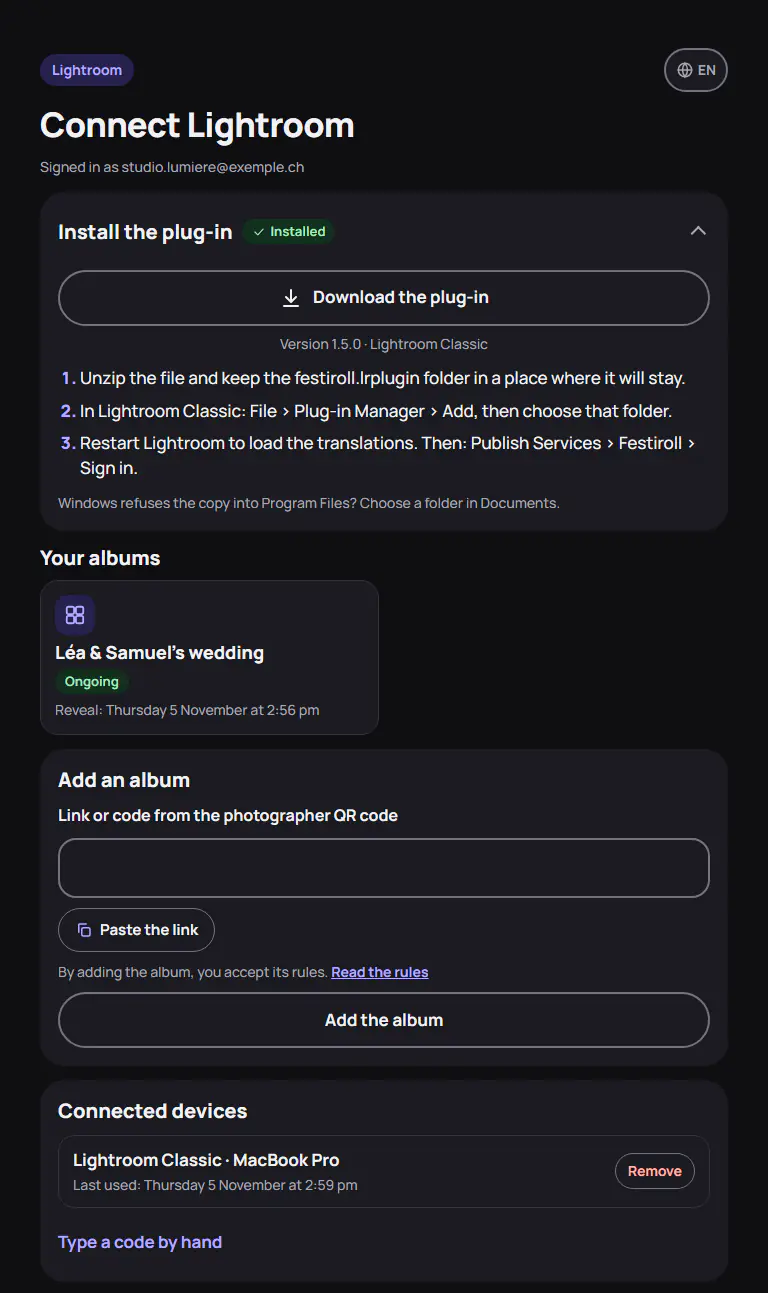
The plug-in (version 1.5.0) is downloaded from the Lightroom page of the Festiroll account. In Lightroom Classic: File > Plug-in Manager, then Add.
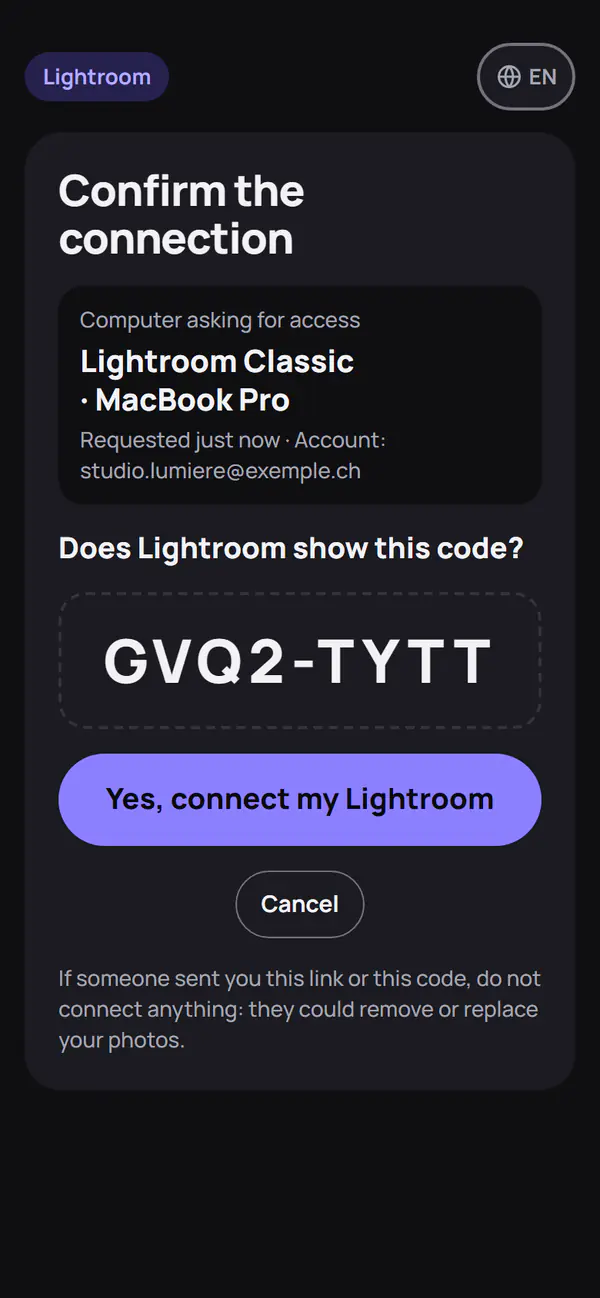
In the Publish Services panel, Festiroll offers Sign in. A QR code appears: the photographer scans it with their phone and confirms. With no phone, the same page opens on the computer. The connection is extended with each use and can be revoked on the Lightroom page, Connected devices section.
Publish a delivery
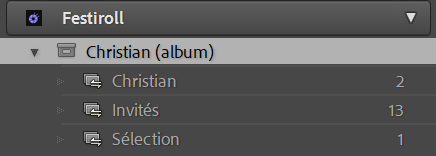
The service shows the album as it is online: one set per album, one published collection per delivery, and the “Guests” collection. When creating a collection, the photographer chooses the album, then an existing delivery or “New delivery…”.
Export is JPEG sRGB: long edge 2048 px by default, or 3000 px, 4096 px, or the original up to 64 MB. Only the copyright is kept in the metadata: no GPS location, no face names.
Edit, remove, delete
After an edit, the photo moves to “Modified Photos to Re-Publish”: Publish sends the new version, which keeps its caption and favourites. A photo removed from the collection leaves the album at the next Publish. Deleting a delivery's collection in Lightroom removes nothing online, unless the photographer chooses “Delete on Festiroll”.
Import the guests' photos
File > Plug-in Extras > Import guest photos downloads the guests' photos visible in the album, from their date and if the organiser allows downloads. They arrive in the “Guests” collection, read-only: the plug-in neither re-publishes nor removes them. The author's nickname becomes a keyword, never exported. An import counts towards the 2 full downloads allowed per 24 hours.
Find your photos again
After the publish service has been set up again, “Find my photos of the album” links the photos already online to those in the catalogue, by original file name and capture date, which the plug-in sends with each photo. Photos it cannot find are downloaded. Nothing is sent again, so nothing appears twice.
Limits
- Lightroom Classic 6 or later only. From Lightroom (cloud), export your JPEGs and upload them from the Studio.
- No RAW, no video.
- Publishing remains one click: nothing is sent on its own after an edit.
- Menu names are those of Lightroom in English.
The plug-in does not measure usage. Its local log, Festiroll.log, never contains the token. A step-by-step wedding sneak peek is in the Lightroom guide.
Frequently asked questions
Does publishing from Lightroom cost extra?
No. It is included at no extra cost, whatever the album's plan.
Does it work with Lightroom (cloud)?
No, only with Lightroom Classic. From Lightroom (cloud), export your JPEGs and upload them from the Studio, up to 64 MB per photo.
Adobe and Lightroom are trademarks of Adobe Inc.