
Photo checks, moderators and removal requests
Updated on 5 November 2026
In short
A guest who does not want to appear in a photo reports it from the album: it is hidden from guests at once, and the organiser or their moderators decide within 72 hours whether to keep or remove it. Someone without the QR code can also request a removal. The organiser can have every photo checked before guests see it.
Check before publication
With this setting, a photo is visible to other guests only once a moderator has published it. The “To check” queue shows photos one at a time. The actions are always the same: Publish, Hide, Keep, Remove. The setting is enforced when children are present.
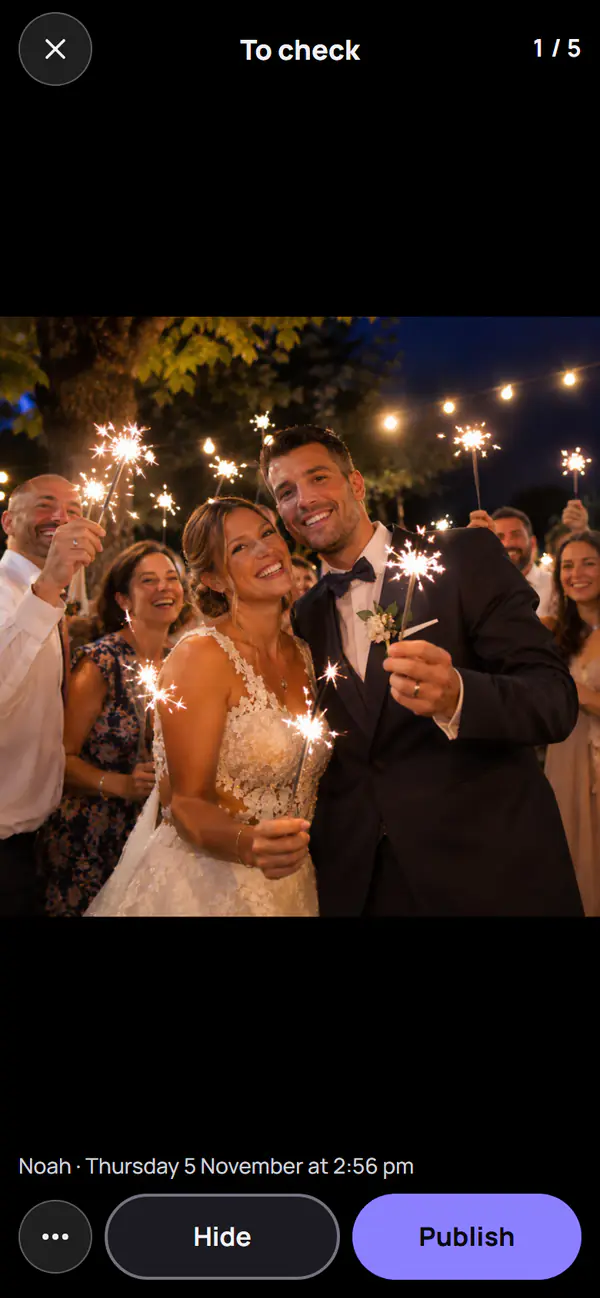
Moderators
The organiser appoints moderators with the moderator QR code, and can become a moderator from their own phone. Moderators see every photo, before guests or at the same time. They can hide or remove photos.
Report a photo
A guest reports a photo from the album, with a reason. It is hidden from guests at once. The organiser, notified by email, decides within 72 hours. A report left undecided beyond that time suspends the album automatically.
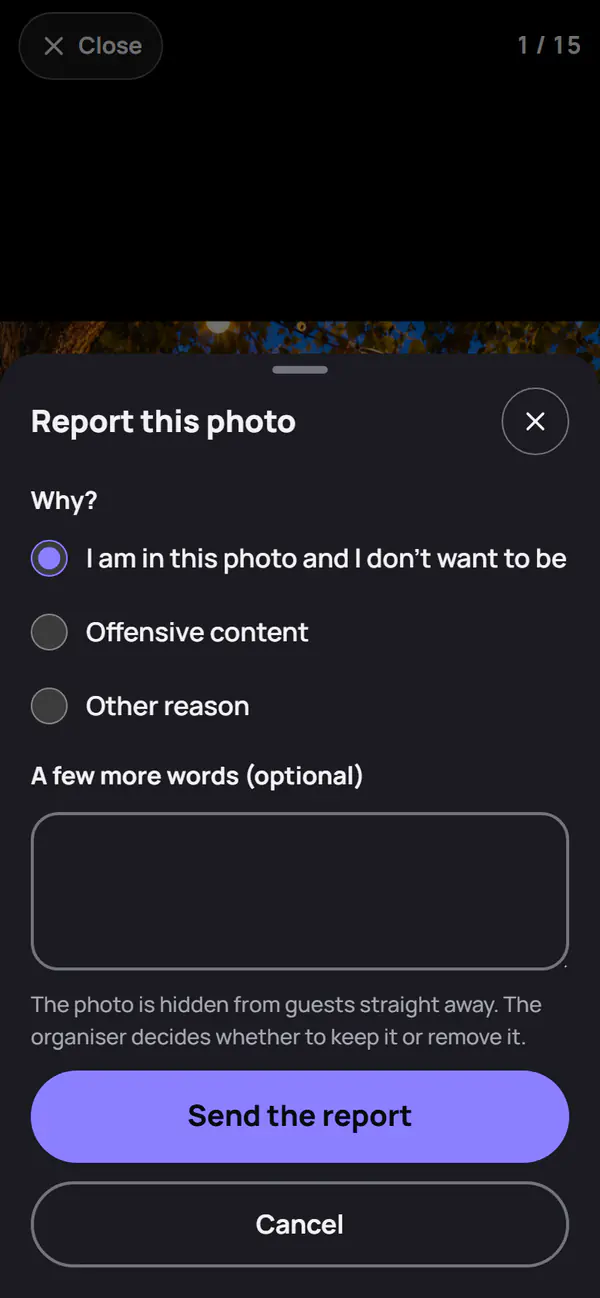
Without a QR code: request a removal
Someone who does not use the album, a supplier for example, goes through the “Are you in a photo?” page. They describe the photo and leave an email address. No photo is shown to them: the organiser looks for the one described and replies within 72 hours. The album rules give the link.
Children present
When the organiser says children will be there, the album takes careful settings:
- each photo is checked before it is visible;
- only the organiser and moderators can download the album;
- no photo wall and no sharing link;
- favourites off by default, and their number never shown.
Frequently asked questions
What happens to a removed photo?
It is erased from storage, along with the prepared downloads that contained it. It does not come back.
Does Festiroll recognise faces to find a photo?
No. No facial recognition is done: the organiser looks for the photo from the description.